End of Year — Up To 60% Off
Seamlessly sync all your trades—including Expert Advisor (EA) activity—directly into Tradersync. Effortlessly analyze your complete performance with deep metrics unavailable on the native platform.
Metatrader provides basic account history, but our specialized trading journal helps you track what truly matters for your execution and strategy. It answers questions like: Is my entry and exit slippage better on my ECN account vs. my Standard account? Or, How does the swap fee affect my overnight Forex strategies? With an easy-to-use report, you can instantly find answers to your most challenging performance questions.
Sometimes the real answer lies in the price action where the trade took place. Our Trade Replay feature allows you to click one button and replay the price action exactly as it happened, using the data captured directly from your Metatrader terminal. This allows you to revive those emotions and the decision process that took place to further analyze and correct your performance.
Upload hundreds of trades, including those generated by your Expert Advisors (EAs), with just a few clicks. Our dedicated Metatrader integration handles all major asset types—Forex, CFDs, Futures—and seamlessly integrates into your journal notes and analysis.
Move beyond standard account equity reports. Tradersync mines your Metatrader execution data, analyzing patterns based on instrument volatility, session times, and broker-specific metrics like slippage and swap fees, giving you an edge over raw MT data.
Tradersync automatically segments your trades, allowing you to isolate and analyze the performance of your automated strategies (EAs) versus your manual trading decisions. Identify which approach yields a better P&L and adjust your risk accordingly.
Our Trade Replay feature allows you to view the price action exactly as it was recorded by your Metatrader terminal. This is crucial for verifying high-speed entries or exits and gaining emotional context, particularly with volatile Forex pairs and indices.
Watch how your profits and losses fluctuated throughout the trade. Visualize the moments of strength and the points of weakness.
See what could have been. Discover the best possible exit point and learn how to capture more profits next time.
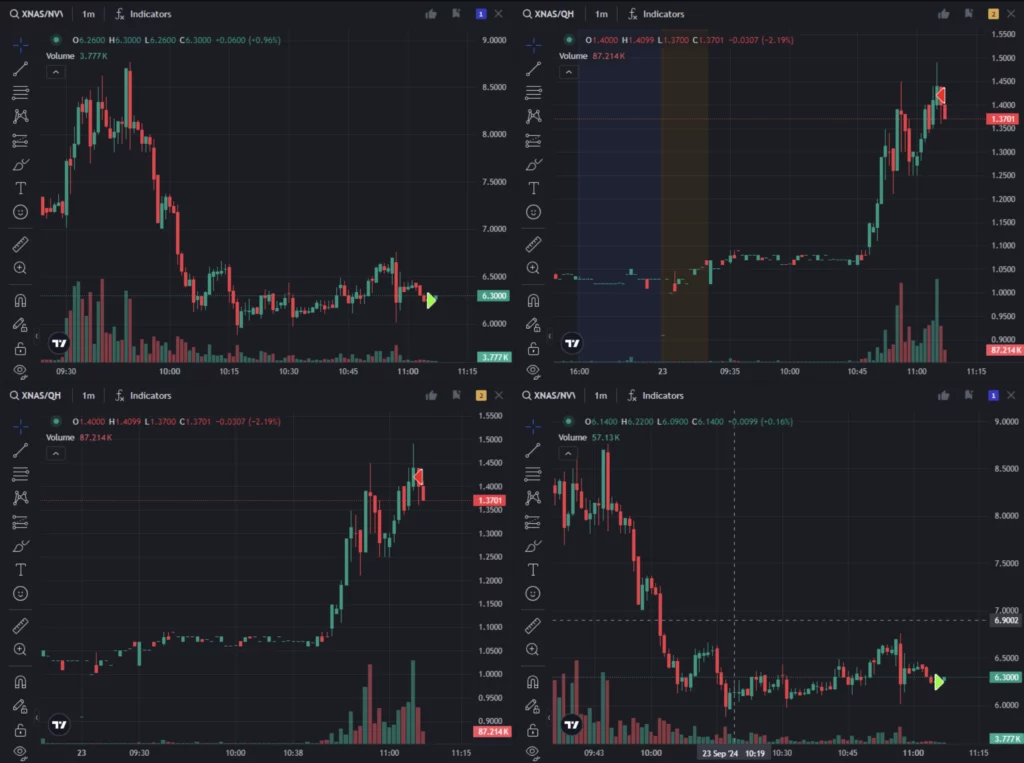
Relive the market action with interactive charts that let you zoom in, explore, and see exactly where you entered and exited.
Follow your targets and stop losses on the chart. Ensure every trade aligns with your risk management strategy.
Capture your thoughts, reasons, and emotions in real-time. Keep a detailed journal to reflect on why you took each trade and what you learned.
Tag mistakes to identify errors and learn from them. Create custom tags for trades based on emotions, market conditions, or strategy.
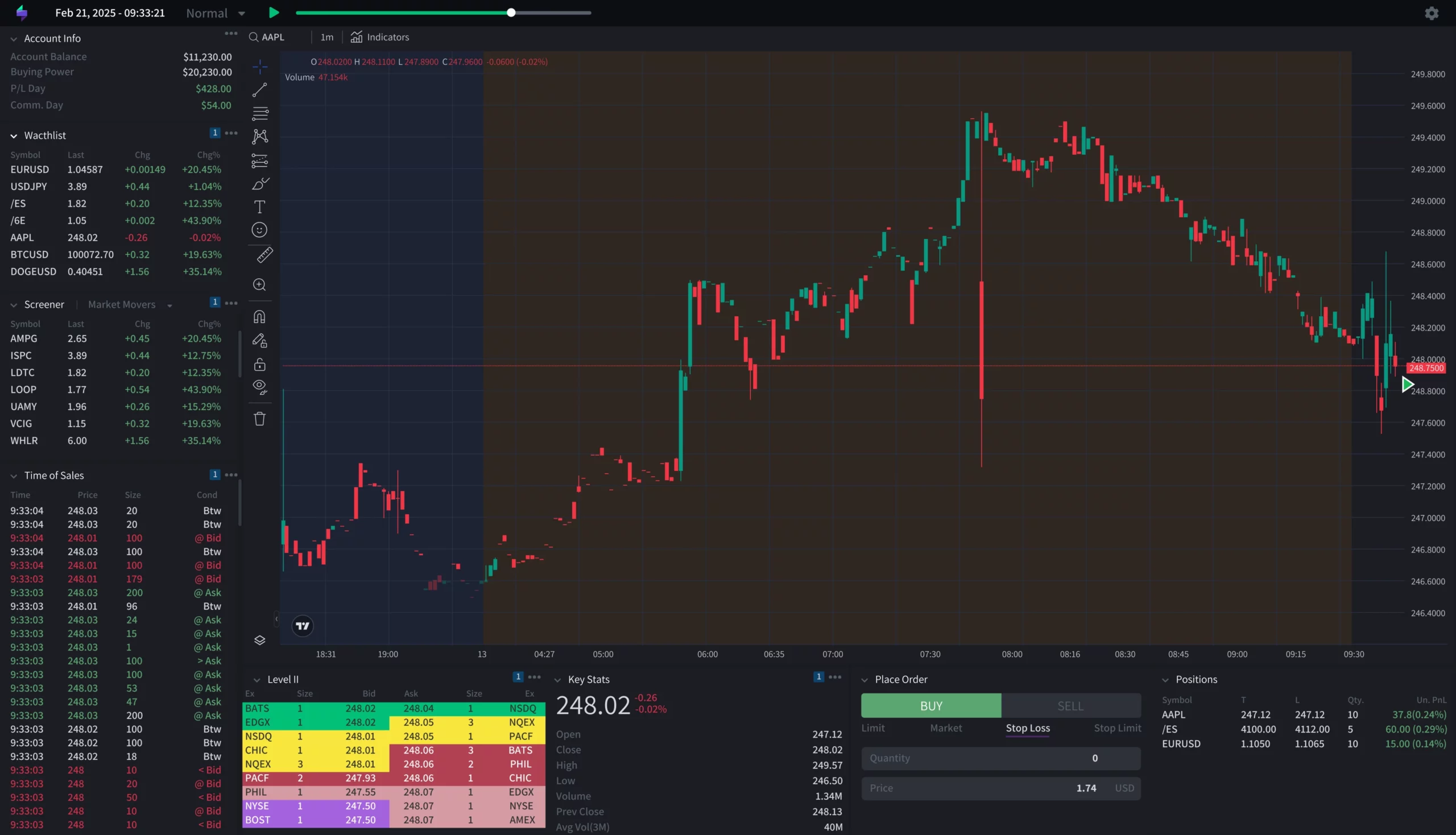
Test your Metatrader setups, Expert Advisors (EAs), and high-leverage strategies in a safe, controlled environment. Use historical data to validate your strategy before risking live capital on the platform.
Backtest your manual and automated MT4/MT5 strategies rapidly with a simulator that loads historical Forex and CFD data in under a second. Spend less time waiting and more time refining your execution.
Create custom testing playlists focusing on volatile trading sessions or specific price action patterns. Practice managing execution, slippage, and stop-loss hunting—critical skills for high-leverage Forex and CFD trading.
Instantly personalize your simulator by selecting a terminal layout that mirrors the MT4/MT5 interface. This allows Forex and CFD traders to focus purely on strategy, maintaining muscle memory and execution efficiency in a testing environment.
Crucial for scalping and high-frequency strategies: Analyze market behavior with historical data down to the tick for a truly accurate view. This is perfect for fine-tuning entries and exits under precise conditions typical of Forex and Futures trading on Metatrader.
Automatically track spreads, option type put/call, strike prices, expiry dates for each option trade executions and more.
Analyze option trades with ease as TraderSync automatically detects spreads, providing you with precise insights into your options strategies.
Create reports based on close date, open date, or transaction date. Get the exact insights you need to analyze your performance from every angle.
Practice your trades on the market replay simulator, and have every trade automatically logged into TraderSync Analytics. Relive each moment, refine your moves, and evaluate them with precision.
Make informed decisions with precise, reliable analytics that keep your trading on track.
Keep track of partial gains using methods like LIFO, FIFO, and Weighted Average. Gain clarity on how different strategies affect your overall performance.
Analyze option trades with ease as TraderSync automatically detects spreads, providing you with precise insights into your options strategies.
Define what you consider a break-even trade with custom offsets. Make sure your performance metrics align with your personal strategy.
Set your R Multiple Value to a specific amount, like $500, and see all your trades' R Multiple calculated against it. Customize your risk evaluation to fit your unique style.
Compile playlists of your past trades and replay them on the market simulator. Practice, learn, and perfect your strategy by revisiting real scenarios.
Set your R Multiple Value to a specific amount, like $500, and see all your trades' R Multiple calculated against it. Customize your risk evaluation to fit your unique style.

Take full control of your automated trading by syncing Metatrader with TraderSync — track every move, review every setup, and grow with precision.
All you need to do is export your trades from your MT4 or MT5 terminal and import them into your TraderSync account. The platform automatically reads the trade history file, including all order types, commissions, and swap fees. The quick, one-minute process ensures all your data is instantly available for detailed analysis.
You can journal a wide range of assets commonly traded on the platform, including Forex pairs, CFDs, Futures, Crypto, and Indices. The system is configured to accurately process the data structure of all instruments available via your Metatrader broker, ensuring comprehensive tracking across all asset classes.
Yes, our robust CSV parser is specifically designed to interpret Metatrader's exported trade history files. You can easily upload your trading history, ensuring all trade properties (including Expert Advisor tags, comments, and specific execution times) are accurately mapped to your journal. Full instructions are provided during your 7-day free trial.
Yes, we offer a 7-day free trial, no credit card required. During this period, you will have access to our live chat support, who are ready to assist with any questions regarding MT4/MT5 file exporting and ensuring a smooth, accurate data synchronization with your new trading journal.
TraderSync supports over 950 other brokers and platforms in addition to Metatrader. We integrate with major providers for equities, futures, crypto, and options. You can view the full, updated list of supported brokers and platforms by clicking here.
Take your trading to the next level with our complete suite of products. From realistic simulations to AI-driven insights, discover the tools that can make all the difference.
Replay any trading day with real-time data to practice, learn, and perfect your strategies.
Get personalized AI insights that highlight your strengths, weaknesses, and opportunities to grow.
Start your free trial today and experience the power of TraderSync Analytics for yourself.
We have a friendly cookie policy on our website. This means that we use cookies to enhance your browsing experience and provide personalized content.
Rest assured, your privacy is important to us, and we only use cookies for necessary purposes. Feel free to adjust your cookie settings to suit your preferences.